Building Your First API
Now that you have everything set up, let’s build a real API. We’ll create a simple wine catalogue endpoint that showcases the three core features of Jeroboam: request parsing, response validation, and automatic documentation.
Part 2: Your First Endpoint
Let’s start with the simplest possible endpoint. Create a new file called app.py:
from flask_jeroboam import Jeroboam

app = Jeroboam(__name__)

@app.get("/wines")
def list_wines():
    """List all wines in the catalog."""
    return [
        {"name": "Château Lafite", "vintage": 2015},
        {"name": "Château Margaux", "vintage": 2016},
    ]

if __name__ == "__main__":
    app.run(debug=True)
Run it:
$ python app.py
Then test it:
$ curl http://localhost:5000/wines
[{"name":"Château Lafite","vintage":2015},{"name":"Château Margaux","vintage":2016}]
This works exactly like a regular Flask app. Jeroboam isn’t doing anything special here yet. Just Flask working as expected.
Part 3: Adding Request Validation
Now let’s add a query parameter for filtering wines by vintage. Add this parameter to your function:
@app.get("/wines")
def list_wines(vintage: int = None):
    """List wines, optionally filtered by vintage."""
    wines = [
        {"name": "Château Lafite", "vintage": 2015},
        {"name": "Château Margaux", "vintage": 2016},
        {"name": "Château Latour", "vintage": 2015},
    ]
    if vintage:
        wines = [w for w in wines if w["vintage"] == vintage]
    return wines
Test it:
$ curl "http://localhost:5000/wines?vintage=2015"
[{"name":"Château Lafite","vintage":2015},{"name":"Château Latour","vintage":2015}]
Here’s where Jeroboam starts doing something: it parsed the query parameter and validated it as an integer. Try passing something that isn’t an integer:
$ curl "http://localhost:5000/wines?vintage=not_a_number"
{"detail":[{"loc":["query","vintage"],"msg":"Input should be a valid integer","type":"int_parsing"}]}
Jeroboam automatically validated the input and returned a 422 error with Pydantic’s validation error format. You didn’t write any validation code.
By default, undecorated function parameters on GET requests become query parameters. For POST/PUT, they become request body fields. You can override this with explicit parameter functions:
from flask_jeroboam import Query

@app.get("/wines")
def list_wines(vintage: int = Query(None)):
    # Same as above—Query() makes it explicit
    ...
Part 4: Response Serialization
Now let’s add a response model. This validates that whatever your function returns matches the declared schema:
from pydantic import BaseModel
from typing import List

class WineOut(BaseModel):
    name: str
    vintage: int

@app.get("/wines", response_model=List[WineOut])
def list_wines(vintage: int = None):
    """List wines, optionally filtered by vintage."""
    wines = [
        {"name": "Château Lafite", "vintage": 2015},
        {"name": "Château Margaux", "vintage": 2016},
        {"name": "Château Latour", "vintage": 2015},
    ]
    if vintage:
        wines = [w for w in wines if w["vintage"] == vintage]
    return wines
When you curl the endpoint now, the response gets validated and serialized through the WineOut model. If you accidentally return a wine missing a field, Jeroboam catches it in development before the client sees it.
Response validation is on by default. It’s not opt-in. Jeroboam always validates responses.
Part 5: Automatic Documentation
Now visit http://localhost:5000/docs in your browser:
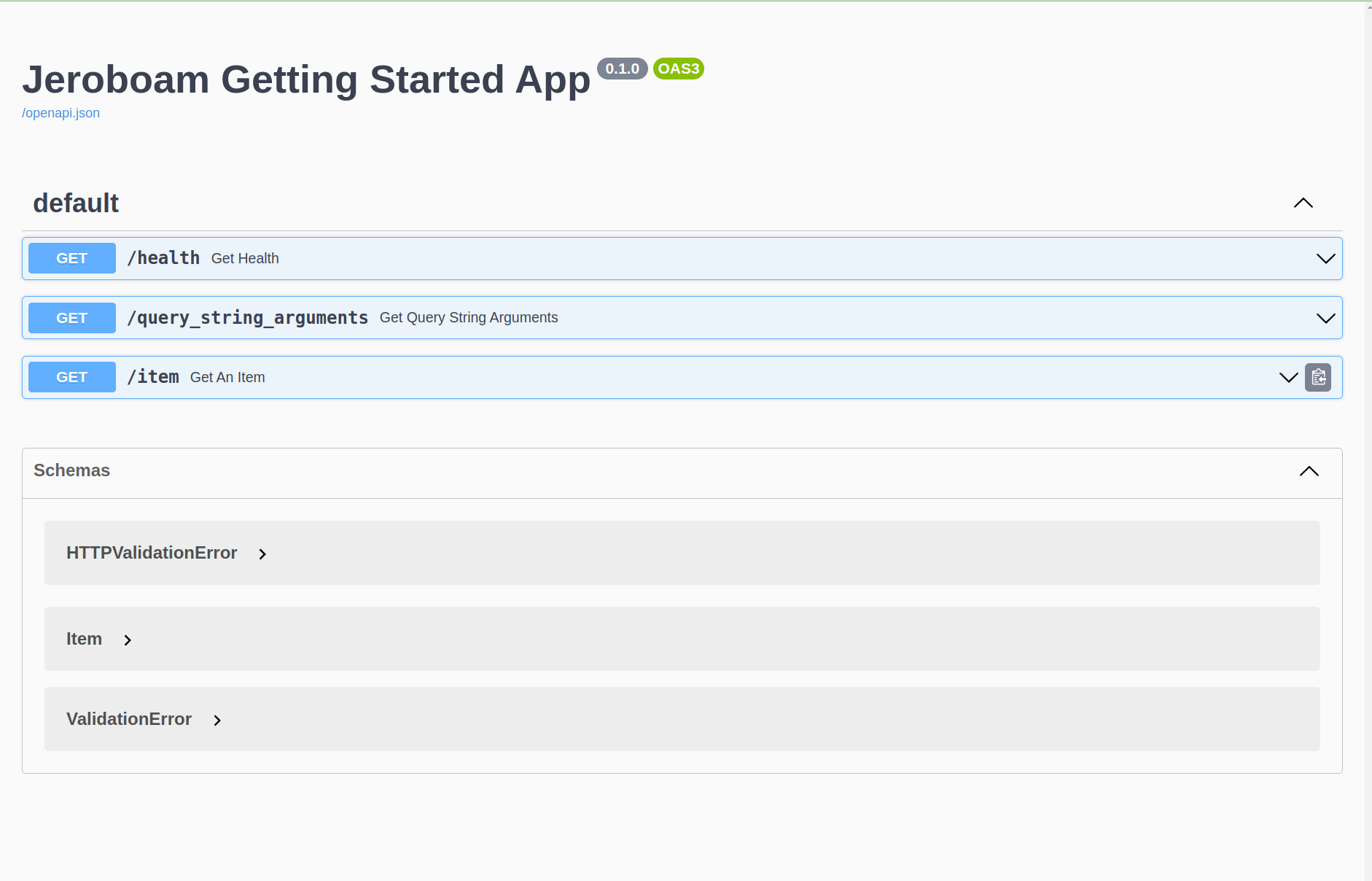
You get interactive API documentation automatically. Jeroboam inspected your function signature, type hints, and response model, then generated OpenAPI spec from them. You didn’t write any documentation markup.
Try the “Try it out” button, enter a vintage, and execute the request. The docs reflect your actual API.
Part 6: Real-World Pattern - Pagination
Let’s add pagination, a common real-world pattern. Update your function:
from pydantic import Field
from typing import List

class WineOut(BaseModel):
    name: str
    vintage: int

class PaginationParams(BaseModel):
    page: int = Field(1, ge=1)  # ge=1 means >= 1
    per_page: int = Field(10, ge=1, le=100)  # le=100 means <= 100

    @property
    def offset(self) -> int:
        return (self.page - 1) * self.per_page

@app.get("/wines", response_model=List[WineOut])
def list_wines(params: PaginationParams, vintage: int = None):
    """List wines with pagination and optional filtering."""
    all_wines = [
        {"name": "Château Lafite", "vintage": 2015},
        {"name": "Château Margaux", "vintage": 2016},
        {"name": "Château Latour", "vintage": 2015},
        {"name": "Château d'Yquem", "vintage": 2010},
        {"name": "Château Pichon", "vintage": 2015},
        {"name": "Château Cos d'Estournel", "vintage": 2016},
    ]

    if vintage:
        all_wines = [w for w in all_wines if w["vintage"] == vintage]

    paginated = all_wines[params.offset : params.offset + params.per_page]
    return paginated
Test it:
$ curl "http://localhost:5000/wines?page=1&per_page=2"
[{"name":"Château Lafite","vintage":2015},{"name":"Château Margaux","vintage":2016}]

$ curl "http://localhost:5000/wines?page=2&per_page=2"
[{"name":"Château Latour","vintage":2015},{"name":"Château d'Yquem","vintage":2010}]
Try passing an invalid value:
$ curl "http://localhost:5000/wines?per_page=200"
{"detail":[{"loc":["query","per_page"],"msg":"Input should be less than or equal to 100","type":"less_than_equal"}]}
Jeroboam validates that per_page doesn’t exceed 100. The validation rules came from the Pydantic model, and Jeroboam enforces them automatically.
Visit the docs again at http://localhost:5000/docs. Notice the page and per_page parameters now appear with their constraints documented.
Wrapping Up
You’ve built a working API with automatic request parsing, response validation, interactive docs, and pagination with constraints.
None of this required writing validation code. Jeroboam pulled the information from your type hints and Pydantic models, then automated the rest.
Next Steps
Read How-to Guides to learn how to handle more complex scenarios
Check Concepts to understand the design philosophy
Explore the API Reference for detailed API reference